


☑️ Real-time CPU temperature, speed and load level
☑️ Remote LCD panel – with 2 hours operating time undocked
☑️ Pure sine wave output R Built-in AVR for voltage stabilisation
☑️ Two x USB charger ports for mobile devices
☑️ Battery backup and surge protected outlets
☑️ User replacable battery design
☑️ Built-in USB com port
Download the latest PowerShield NetGuard® UPS Monitoring Software:
Default password: administrator
To monitor CPU speed, temperature and percentage (%) CPU resources please download and install
the CPU Monitor file. Once installed, the user can configure the CPU Monitor to auto run on Windows
Startup and send CPU Information to the UPS directly.
Note: CPU Monitor is only currently available for Windows.
Why does the battery indicator continue flashing on the LCD panel when the batteries fully charged?
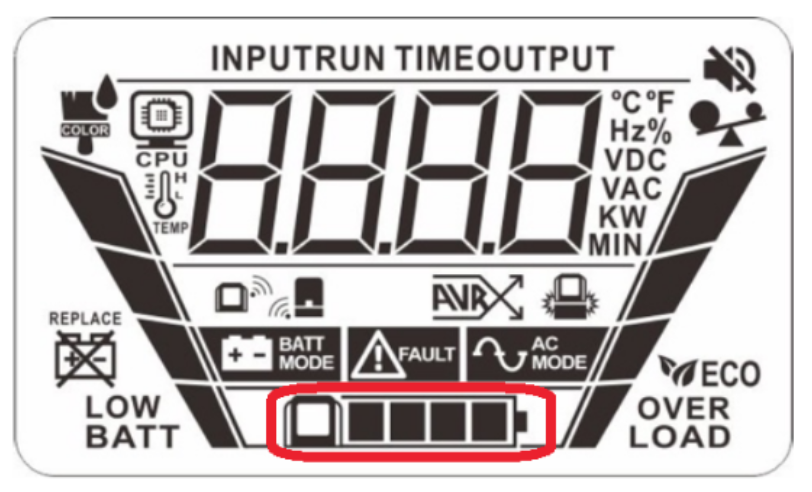
This is the LCD panel battery indicator (NiMH) and the flashing square indicates continuous charging.
ANSWER:
When the LCD remote panel display is installed on the base unit of the Gladiator, it will automatically charge the LCD panel batteries.
The LCD panel batteries are charging continuously when the LCD remote panel is mounted on the Base unit of the Gladiator UPS, so the fully charged icon (the last square) for the battery will flash on and off continuously.
This is the normal operation of the indicator showing the batteries are being continuously charged.

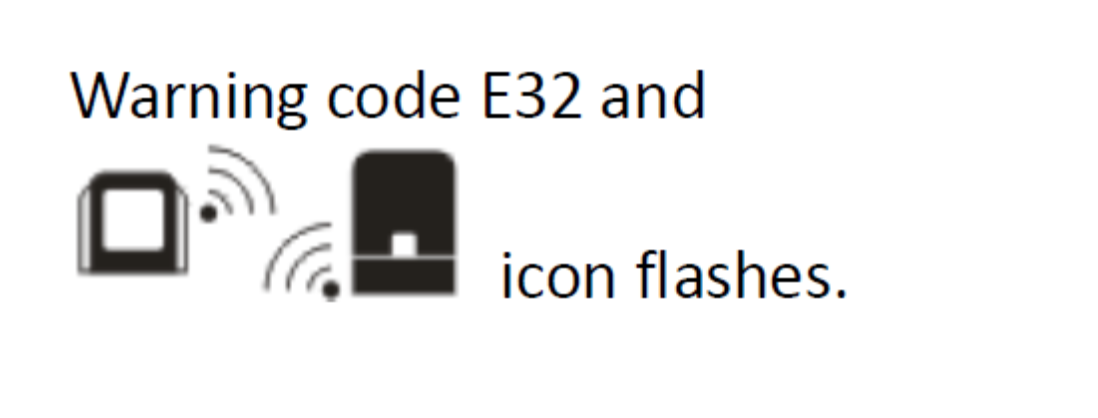
Warning Code E32 – This error occurs in the process of pairing the remote panel LCD with the docking station of the Gladiator UPS.
Solution: Place remote panel on the docking station and Press “ON/OFF” button 5 times in one second intervals to reset the pairing.